No Result
View All Result
Home Fitnes Stop
  • Home
  • Food
  • Medical
  • Medical Insurance
  • Home
  • Food
  • Medical
  • Medical Insurance
No Result
View All Result
Home Fitnes Stop
No Result
View All Result
Home Medical Insurance

Reading Explanations of Benefits for Home Fitness Claims

admin by admin
May 29, 2026
in Medical Insurance
0
Reading Explanations of Benefits for Home Fitness Claims
0
SHARES
13
VIEWS

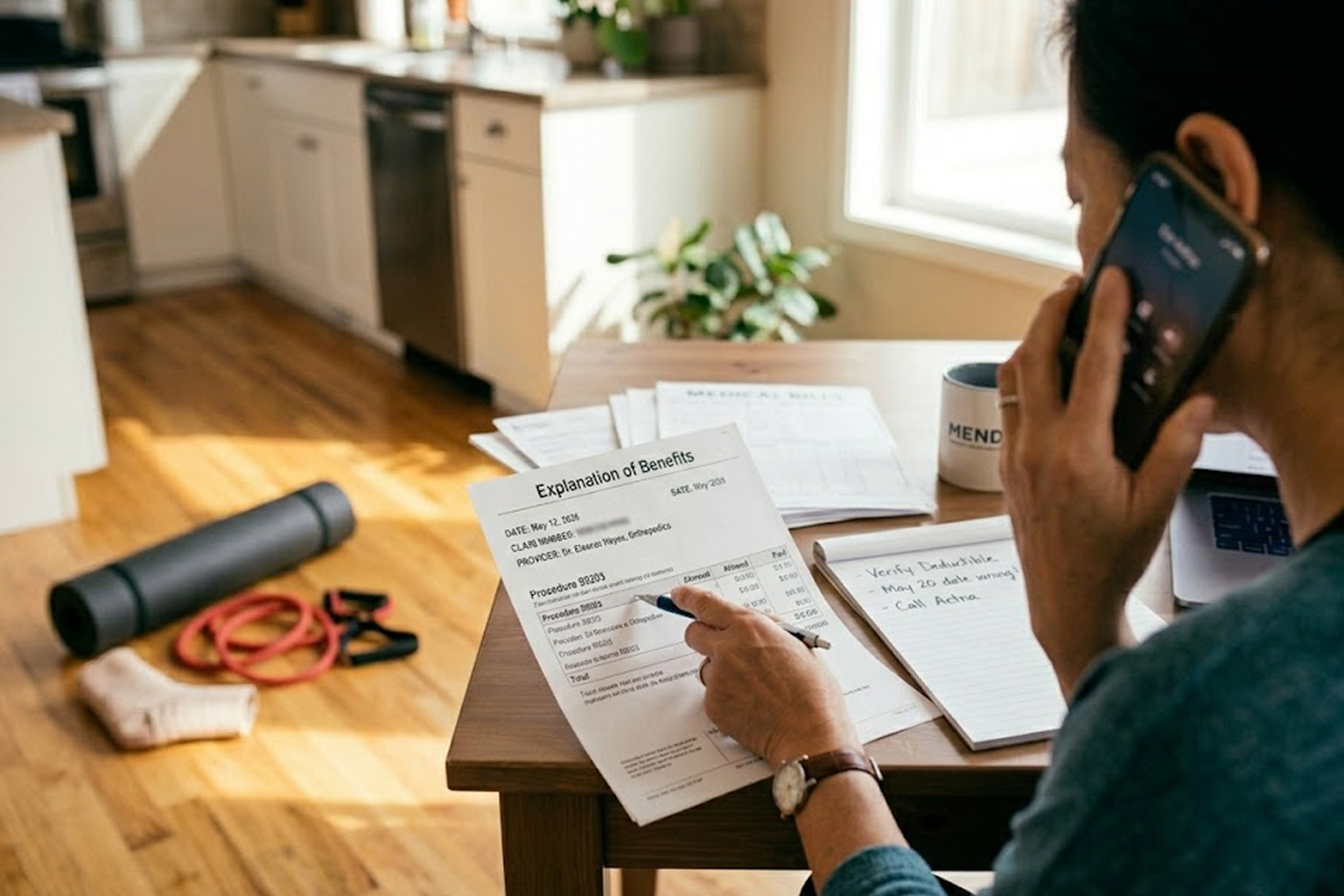
Understanding an Explanation of Benefits (EOB) helps you track what your insurer paid after a home workout injury or telehealth visit. This document is not a bill but a detailed report of services, charges, and adjustments. Learning how to read it can prevent surprise expenses and speed up any dispute or appeal. Make a habit of reviewing EOBs promptly so you catch errors early and preserve documentation.

What an Explanation of Benefits Includes

An EOB typically lists patient and provider details, dates of service, billed amounts, and the insurers allowed amounts. It will show adjustments such as network discounts, denials, or coordination of benefits with another payer. The EOB also breaks down what portion the insurer paid and what portion you may owe as coinsurance, copay, or deductible. Reading each line helps you match services to charges and spot coding mistakes that affect payment.

  • Patient and provider names and service dates
  • Procedure or diagnosis codes and billed amounts
  • Allowed amounts, insurer payments, and patient responsibility
  • Reasons for denials or adjustments with code explanations
  • Claim reference numbers and appeal instructions

If a line item seems incorrect, compare the EOB to your providers bill and your own records. Early cross-checking simplifies disputes and supports faster resolution.

Decoding Codes, Adjustments, and Payments

CPT and ICD codes on the EOB identify services and diagnoses; mismatches between provider notes and codes are a common source of errors. Adjustment reasons use short codes or text that explain reductions, such as bundling or preauthorization failures. Payments may be applied to your deductible first, so initial claims sometimes show zero insurer payment until deductibles are met. Understanding these patterns helps you predict future out-of-pocket costs for follow-up care or rehabilitation.

When adjustments hide behind opaque terminology, call your insurer and ask for plain-language explanations. Keep a written record of who you spoke to and any reference numbers they provide.

Next Steps: Disputes, Appeals, and Documentation

If you find a mistake or an unexplained denial, start with the providers billing office to confirm the claim details and coding. If the provider re-submits, request a corrected claim number and monitor the next EOB for changes. For unresolved denials, follow your insurers appeal process and include supporting documentation such as medical notes, equipment receipts, or telehealth visit summaries.

  • Request itemized bills and a claim history from the provider
  • File an internal appeal with your insurer and note deadlines
  • Escalate to an external review or ombudsman if necessary

Organize all correspondence, dates, and copies of EOBs to strengthen your case. Persistence and clear documentation often reverse administrative errors.

Conclusion

Regularly reviewing EOBs turns confusing paperwork into actionable insight. Promptly compare statements to provider bills and address discrepancies with both offices. Clear records and timely appeals protect your finances and support safer home fitness recovery.


Previous Post

Policy Tools to Manage Costs After a Home Workout Injury

Next Post

Practical Meal Timing to Boost At-Home Workout Energy

admin

admin

Next Post
Practical Meal Timing to Boost At-Home Workout Energy

Practical Meal Timing to Boost At-Home Workout Energy

No Result
View All Result

Recommended

Trending

Evening Meals That Help Muscle Recovery and Sleep

Evening Meals That Help Muscle Recovery and Sleep

Practical Home Moves to Improve Balance and Daily Function

Practical Home Moves to Improve Balance and Daily Function

Popular

Virtual cooking class improves children’s nutrition knowledge

Virtual cooking class improves children’s nutrition knowledge

Common foods available now that we were unaware of in the 90s

Common foods available now that we were unaware of in the 90s

Here’s how you can make Adele’s rumoured ‘Weight Loss Salad’

Here’s how you can make Adele’s rumoured ‘Weight Loss Salad’

Tips to prevent eggs from cracking while boiling

Tips to prevent eggs from cracking while boiling

Foods that you can eat without putting on weight

Foods that you can eat without putting on weight

Home Fitnes Stop

Home Fitness Top

Email : [email protected]


Address : 4740 N Cumberland Ave, Chicago,

Illinois, 60656

Subscribe Us =>

By clicking submit, I authorize Home Fitnes Stop and its affiliated companies to: (1) use, sell, and share my information for marketing purposes, including cross-context behavioral advertising, as described in our Terms of Service and Privacy Policy, (2) supplement the information that I provide with additional information lawfully obtained from other sources, like demographic data from public sources, interests inferred from web page views, or other data relevant to what might interest me, like past purchase or location data, (3) contact me or enable others to contact me by email with offers for goods and services from any category at the email address provided, and (4) retain my information while I am engaging with marketing messages that I receive and for a reasonable amount of time thereafter. I understand I can opt out at any time through an email that I receive, or by clicking here
  • Contact Us
  • Privacy Policy
  • Terms Of Service
  • Unsubscribe
  • Privacy Choices

© 2026 Home Fitnes Stop All Rights Reserved

No Result
View All Result
  • Home
  • Food
  • Medical
  • Medical Insurance

© 2026 Home Fitnes Stop All Rights Reserved

Skip to content
Open toolbar Accessibility Tools

Accessibility Tools

  • Increase TextIncrease Text
  • Decrease TextDecrease Text
  • GrayscaleGrayscale
  • High ContrastHigh Contrast
  • Negative ContrastNegative Contrast
  • Light BackgroundLight Background
  • Links UnderlineLinks Underline
  • Readable FontReadable Font
  • Reset Reset